This one was just for fun. I play the guitar, and I wanted something better to practise against than a click.
I have used a lot of metronomes over the years: hardware ones, phone apps, web pages, the one built into the amp. They all do the same job, and they all have the same limitation. A click on the beat tells you where the beat is, but it says nothing about feel. Practising a reggae skank against a steady click is not the same as practising it against a kick, snare and hi-hat playing a reggae pattern. So I decided to build the more advanced version I actually wanted, and because I already build Chrome extensions, that is the shape it took.
What it does
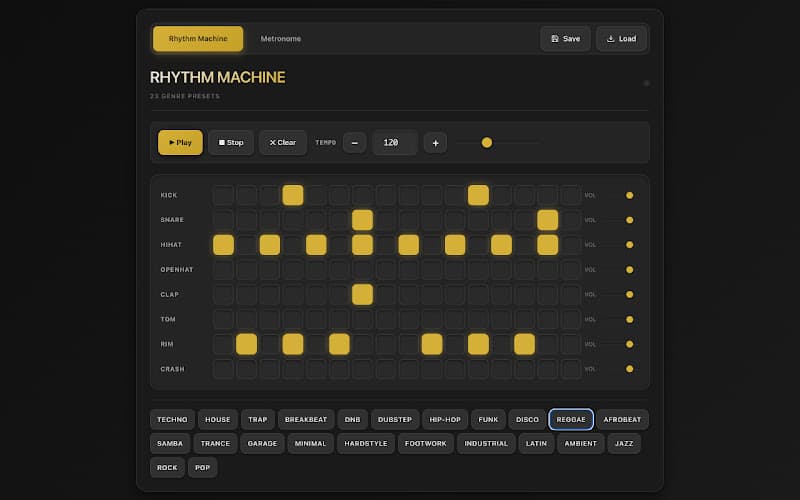
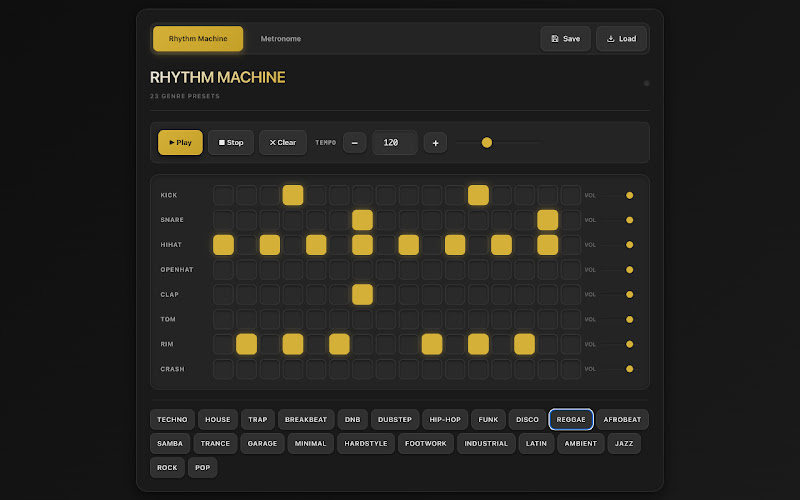
Rhythm Machine is a step sequencer and metronome that runs in the browser. There are eight voices: kick, snare, hi-hat, open hat, clap, tom, rim and crash, each on its own row of the step grid with its own volume. You can tap steps in by hand, set the tempo with the buttons or the slider, and press play.
The part I use most is the presets. There are 23 of them, one per genre: techno, house, trap, breakbeat, drum and bass, dubstep, hip-hop, funk, disco, reggae, afrobeat, samba, trance, garage, minimal, hardstyle, footwork, industrial, latin, ambient, jazz, rock and pop. Each loads a pattern that sounds like the genre rather than a generic beat, which is the whole point when you are trying to lock a part into a feel.
Patterns you build or adjust can be saved and loaded again, so a practice groove for a particular song is one click away the next day. There is a plain metronome tab as well for when a click really is all you need.
Why an extension
It sits in the browser I already have open, it needs no account and no install beyond the Web Store, and it is free.
It is on the Chrome Web Store as Rhythm Machine. I built it for myself, so the feature list is the one I wanted, but if you play and there is a genre or a voice missing that would make it useful to you, tell me.